
How to Verify a PCGS or NGC Certification Number — And Why You Should Every Time
The 30-Second Check That Can Save You Thousands
Every coin graded by PCGS or NGC receives a unique certification number. That number is your direct link to the grading service's database — and verifying it is the single most important step you can take before buying a certified coin. It's free, it takes 30 seconds, and it can save you from buying a counterfeit. Here's exactly how to do it.
PCGS Cert Verification
URL: pcgs.com/cert
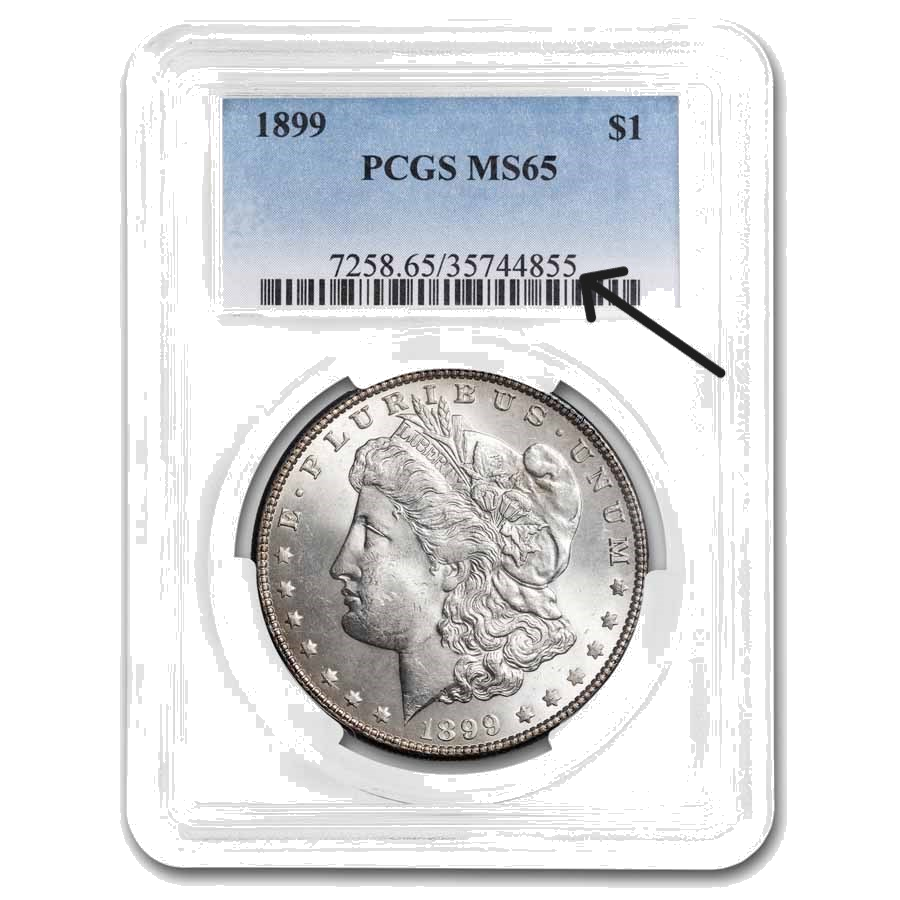
The PCGS certification number location — look for the digits following the slash on the label.
Steps:
- Go to pcgs.com/cert (type it manually — do not follow links from QR codes on the holder unless you've verified the holder is genuine).
- Enter the PCGS certification number. On a PCGS holder, this is the number following the slash (/) on the label — typically 7 or 8 digits.
- Click "Verify."
What you'll see for a valid cert number:
- Coin identification: Denomination, date, mintmark, and variety
- PCGS grade
- Population data: How many coins have been graded at this grade, and how many graded higher
- PCGS Price Guide value
- Auction history: Past auction appearances with lot numbers, sale dates, and prices realized
- High-resolution images (when available)
- Set Registry presence: Whether the coin is currently registered in a PCGS Set Registry set
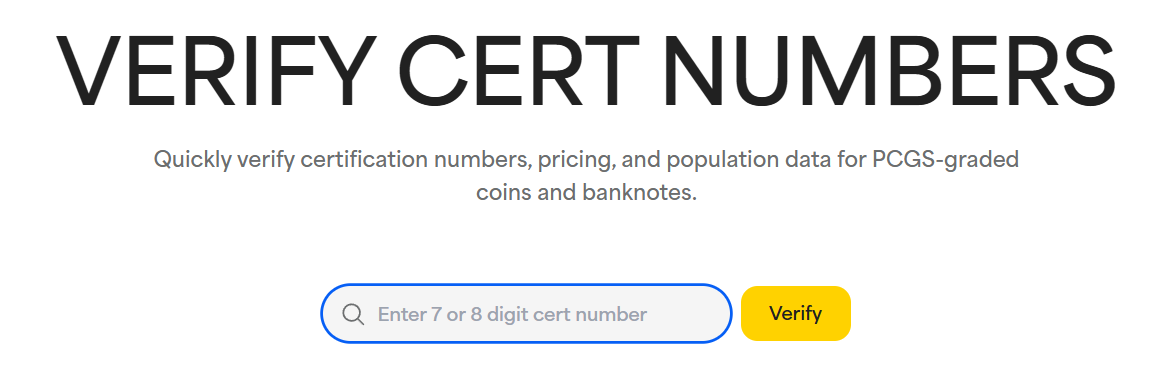
The PCGS Cert Verification page — a valid lookup returns the coin description, grade, population data, and images.
What if the cert number returns "not found"? The holder is almost certainly counterfeit. Do not proceed with the purchase. In rare cases, very recently graded coins may take a day or two to appear in the database — but if the seller claims the coin was graded more than a week ago and it's not in the system, walk away.
NGC Cert Lookup
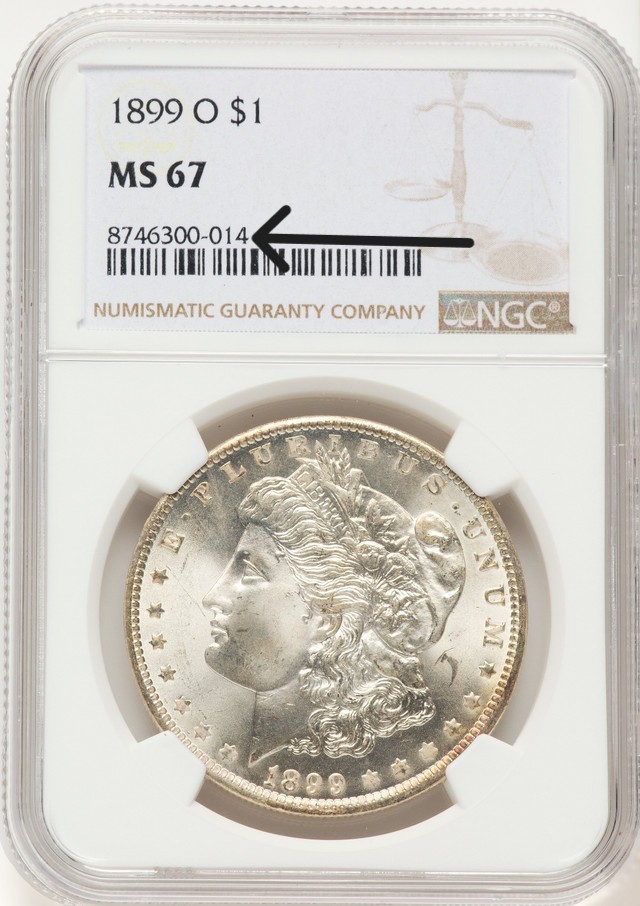
The NGC certification number location on the holder label.
Steps:
- Go to ngccoin.com/certlookup (again, type it manually).
- Enter the NGC certification number from the holder's label.
- Click "Look Up."
What you'll see for a valid cert number:
- Coin description and NGC grade
- NGC Census population data
- NGC Price Guide value (for many coins)
- High-resolution obverse and reverse images — NGC has images for over 20 million coins graded since October 2008
- Verification that the holder is genuine and has not been tampered with
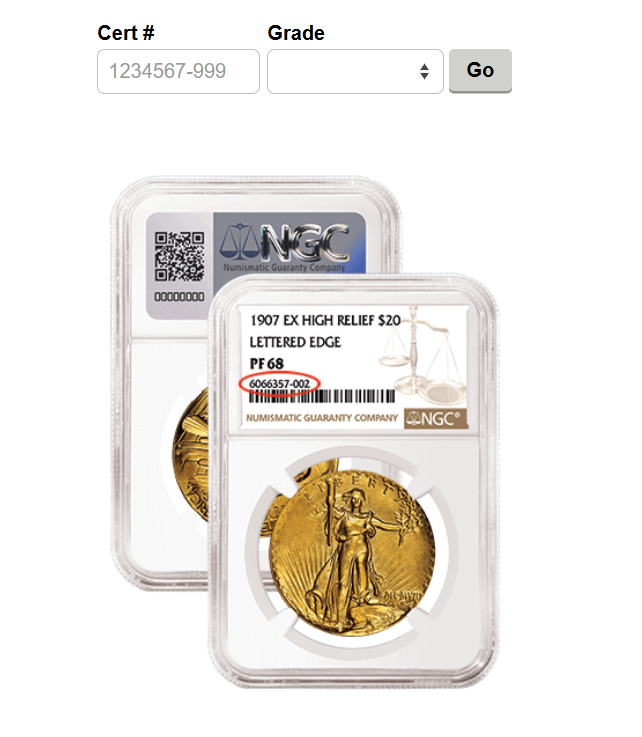
The NGC Cert Lookup page — showing grade, census data, and high-resolution images for verified coins.
Mobile Verification
Both services offer mobile options:
- PCGS: The PCGS Cert Verification app (available on iOS and Android) lets you scan the barcode or enter the cert number. For holders with NFC chips (all PCGS holders since October 2020), you can simply tap your phone to the holder for instant cloud-verified authentication.
- NGC: The NGC app supports barcode scanning. Additionally, NGC holders produced since 2023 have unique QR codes on the hologram — scanning this QR code takes you directly to that specific coin's certification verification page on ngccoin.com.
Why You Should Verify Every Time
Even experienced collectors should make verification a habit because:
- Counterfeit slabs are increasingly sophisticated. Visual inspection alone is no longer sufficient to detect the best fakes.
- "Cert number spoofing" is real. Some counterfeiters use legitimate cert numbers on fake holders — the number will verify correctly, but the coin inside isn't the one PCGS or NGC graded. Compare the images returned by the verification lookup to the actual coin in the holder.
- Self-adhesive labels can be swapped. In rare cases, a genuine label from a low-value coin is transplanted onto a holder containing a higher-value counterfeit. The cert number verifies, but the coin doesn't match.
- It's free and fast. There is no cost to verify a cert number, and it takes less than a minute on desktop or mobile.
Warning: Clone Verification Websites
Sophisticated counterfeiters have created fake versions of the PCGS and NGC verification websites (see our post on Mirror-Clone Grading Websites). These clone sites look identical to the real ones but return fabricated "verified" results for counterfeit cert numbers. Always type the URL manually:
- PCGS: pcgs.com/cert
- NGC: ngccoin.com/certlookup
Any other domain — especially those ending in .cn or containing hyphens and extra characters — is fraudulent.
Browse the NumisDex catalog for coin research and reference.
0 Replies
Related Threads
- Rosa Parks Commemorative Coins: HR 916 Would Honor a Civil Rights Icon0 replies · 2mo ago
- Olympic Coins for LA 2028 and Salt Lake City 2034: S. 2265 Explained0 replies · 2mo ago
- The End of the Penny: What HR 4459 (MINT Act) Means for Collectors0 replies · 2mo ago
- The $2.50 Coin Is Coming Back: What Collectors Need to Know About HR 56160 replies · 2mo ago
- U.S. Mint Releasing 250,000 Special "July 4th" Privy Mark Declaration of Independence Quarters0 replies · 2mo ago